Voice Note on a Letter: How Voice and Video Notes Work for Advisors
How a voice note on a letter works: a QR code video message or recording plays when clients scan your handwritten card. Steps, scripts and pricing for advisors.
LetterFi team · November 27, 2026
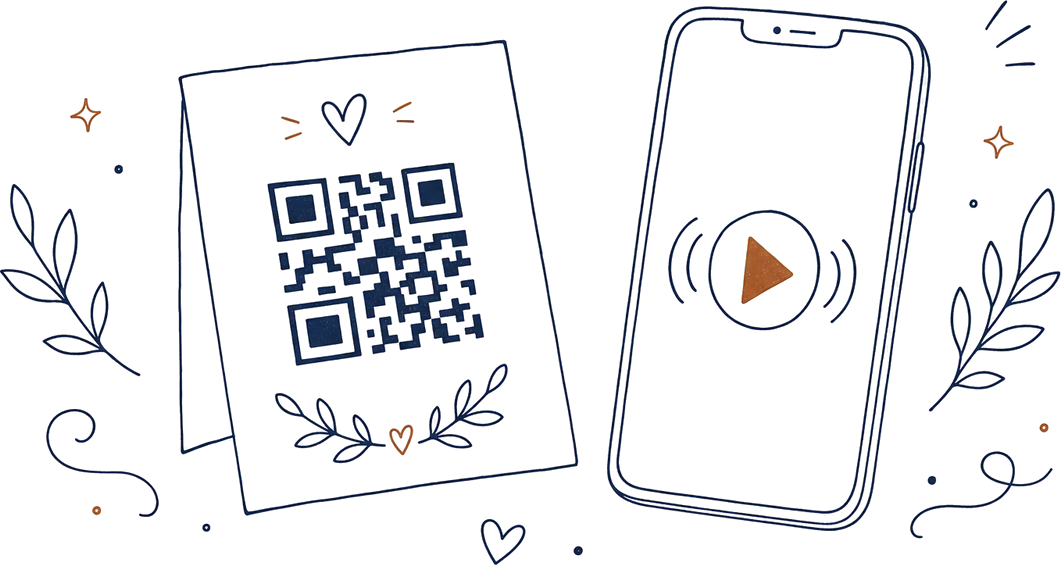
A voice note on a letter is a short recording, or a short video, that plays when the recipient scans the QR code on your handwritten card. On LetterFi you record it in your browser, type it and pick one of twelve stock voices, or upload a short video. The client opens a real pen-and-ink card, scans the code with their phone, taps play, and hears you or sees you. With the personalized option, each person hears their own name first. Below: how it works step by step, what to say for each kind of letter, what it costs, and the compliance step not to skip.
Why add your voice to a card
A handwritten card says you took the time. A voice note says it in your own voice. It is the closest a letter gets to a phone call, without the phone tag.
It also gives the card a next step. The scan lands on a page with a Book a call button, so a client who wants to talk can do it right then. And you can see who scanned, so the follow-up call is to someone who already heard from you.
Like any single tactic, it is one tool, not a strategy. It works best alongside your email, events and referral work.
How it works, step by step
1. Write the letter
Compose the card as usual: pick your handwriting (your own custom font or a house hand), a card stock, merge fields such as first name, and your firm's disclosure language. Upload a CSV or choose saved contacts.
2. Add a QR code
Point the QR code at your own website, or at a free LetterFi landing page with your logo, colours, booking link, a Book a call button, a call-back form and your disclosure in the footer.
3. Add your note
Choose one of three ways. Each send carries one note, either a voice note or a video.
- Record it. Use your phone or laptop microphone in the browser.
- Type it and pick a voice. Choose from twelve stock voices and LetterFi reads your words. Good if you would rather not record, or have no quiet room.
- Upload a short video. A face-to-camera hello works well. So does a short walkthrough you have already recorded.
4. Turn on personalized, if you want it
With a typed note and a stock voice, the personalized option greets each recipient by first name before your message. "Hi Margaret," then the rest of your note. Each card gets its own QR code so every scan plays the right name.
5. Review and send
If your firm uses supervisory approval, turn it on and nothing is written until a reviewer signs off. Then the robots write each card with a real ballpoint pen, add a real First-Class stamp and a handwritten address, and the letter is in the mail within 3 to 5 business days. You can track every letter through queued, written, stuffed, stamped and mailed.
6. The client scans
They open the card, scan the QR code, and tap play. Phones need that one tap before sound plays, so the page shows a clear play button. They hear your note, or watch your video, then continue to your landing page or site.
7. You see who engaged
Scans, Book-a-call clicks and call-back requests appear in your dashboard by campaign. That tells you who to call first.
What to say: scripts by use case
Keep it short, warm and specific. Twenty to forty seconds is plenty. Say why you sent the card, and give one easy next step. Do not talk about performance, returns or guarantees. Copy and adapt these.
Client birthday
"Hi, it's Dana. I just wanted to say happy birthday in my own voice. I hope you get a day that's all yours. No business today. If anything is on your mind, you know where to find me."
Annual review reminder
"Hi, it's Dana from Harbor Financial. Your annual review is coming up, and I'd like to hear what has changed for you this year, at home, at work, anything. There's a button below to pick a time that suits you. Talk soon."
Thank you for a referral
"Hi, it's Dana. I wanted to thank you personally for introducing me to your friend. That kind of trust means a lot, and I'll take good care of it. Thank you."
For the letter itself, see our financial advisor referral letter templates.
Seminar or client event invitation
"Hi, it's Dana. I'm hosting a small evening on planning for retirement income next month, and I'd love for you to come, and bring someone if you like. All the details are on the next page, along with a way to save your seat."
More on the card side in our guide to seminar invitation letters.
Introduction to a new prospect
"Hi, I'm Dana Lee, a financial advisor here in Springfield. I sent you this card because I work with a lot of families in the area who are starting to think about retirement. If you'd ever like a no-pressure conversation, there's a button below to book a time. Either way, thanks for listening."
Annuity contract anniversary
"Hi, it's Dana. Your contract anniversary is coming up, and it's a good moment to check that it still fits what you need. Tap below to set up a quick call whenever it suits you."
A video, a recording or a stock voice?
- Your own recording sounds most like you. Best for existing clients who know your voice.
- A stock voice is fastest and allows the personalized name greeting. Good for larger sends and prospecting.
- A video puts your face on it. Good for introductions and events, where seeing you builds familiarity.
Whichever you choose, the card is still written in pen and ink. The note is the extra.
What it costs
The note is an add-on to the letter price, which already includes postage:
- Voice note or video: $0.25 per piece
- Personalized voice note (each person hears their name): $0.35 per piece
So 500 letters with a voice note add $125 to the order, or $175 with the personalized greeting. See the full ladder on the pricing page, or our breakdown of what a handwritten letter service costs.
Compliance: review the note like the letter
Voice and video are communications too. Run the script, and the final recording or video, past your compliance team or broker-dealer before it goes out, the same as the letter copy. If supervisory approval is on in LetterFi, the reviewer signs off before anything is written. LetterFi does not certify any letter, recording or video as FINRA or SEC compliant; that decision stays with your firm.
Getting started
Voice and video notes work on any LetterFi letter with a QR code. See the full feature list and how LetterFi works, then try it on a small send to your best clients first.
Add your voice to your next letter
Frequently asked questions
- How do you add a voice note to a letter?
- On LetterFi, you add a QR code to the card and attach a note to the send: record it in your browser, type it and pick one of twelve stock voices, or upload a short video. When the recipient scans the QR code with their phone, they tap play and hear you, or see you.
- Can each client hear their own name?
- Yes, with the personalized option. You type the message and pick a stock voice, and each recipient hears their own first name first. Personalized greetings work with stock voices, not with a note you record yourself or a video.
- How much does a voice or video note cost?
- A voice note or video adds $0.25 per piece to the letter price. A personalized voice note, where each person hears their own name, adds $0.35 per piece.
- Does a voice or video note need compliance review?
- Treat it like the letter itself. Run the script, and the recording or video, past your compliance team or broker-dealer before it goes out. If supervisory approval is turned on in LetterFi, nothing is written until a reviewer signs off.